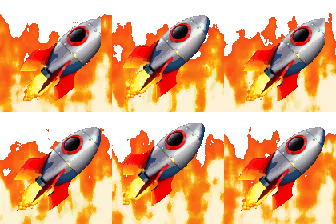
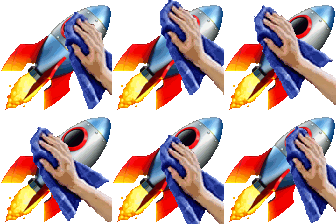
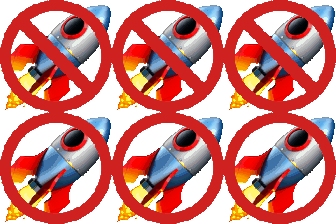
Eight rocket loops for the life of a release: Deployment On Fire, Deployment Glitchy, Deployment Lightspeed, Deployment Out of Control, Deployment Polishing, Deployment Explodes, Deployment Fixing and Deployment Cancel. Each one is a short animation of a rocket in a different state, so a channel can narrate a rollout without typing a status line.
Lightspeed is the clean ship. Polishing and Fixing show up while a release is being prepared or patched, Glitchy and Out of Control are for a rollout that is wobbling, and On Fire, Explodes and Cancel are for the ones that are not going to make it. Posted in sequence under a release announcement, they tell the whole story at a glance.
The set works best as a family, so our suggestion is to upload all eight with the same prefix, such as rocket-, and let people find them by typing it. We cannot confirm who made these images, so if you made or own one and want it removed, the contact page will get it taken down.
Download any emoji above, then upload it as a custom emoji in your workspace. Step-by-step guides: add custom emojis in Microsoft Teams, add custom emojis in Slack, or add custom emojis in Discord. These eight files are 112 by 112 pixel animated GIFs, about 35 to 100 KB each. That is under the 128 KB Slack's help recommends and the 256 KB figures Teams and Discord list (checked October 14, 2026). Your workspace can still restrict who may add emoji. Discord's help says uploading needs the server owner or the Manage Emojis or Create Expressions permission, and its custom emoji page also covers animated emoji, so check it for what your account and server allow.
More packs like this: GitHub Down emojis · Party Parrot emojis · Claude Reactions emojis